Translating User Needs Into a Modern Software Product
Priority Designs partnered with a healthcare-concierge, Member Services Organization (MSO) to redesign a complex internal platform used by their support-representatives to help members during live interactions. This organization helps their customers’ employees navigate the complexities of health insurance benefits, claims, and billing.
MSO came to PD to steer a user-centered design effort with the goal to reduce friction created by fragmented tools, improve information findability, and modernize the experience without disrupting established workflows.
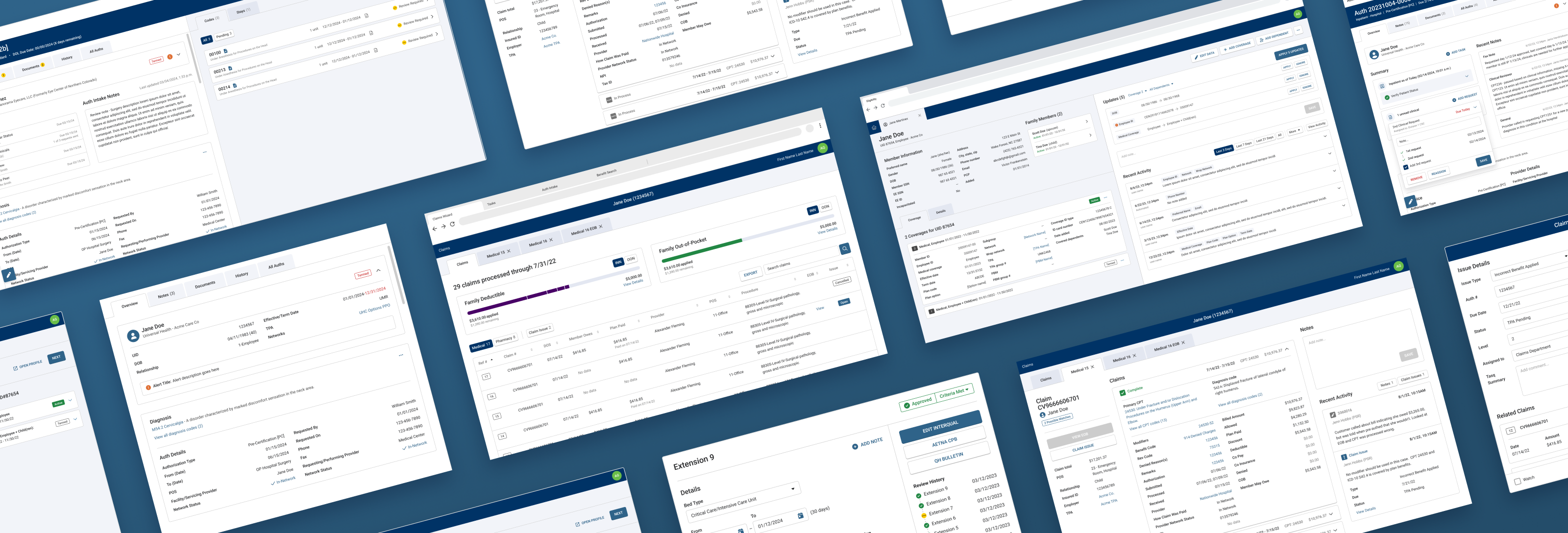
A Clear UX Problem
Members typically contact support for help understanding benefits, claim status, billing questions, or prior authorization requirements. Support representatives manage these calls while working across multiple proprietary systems to locate information, document the interaction, and coordinate next steps.
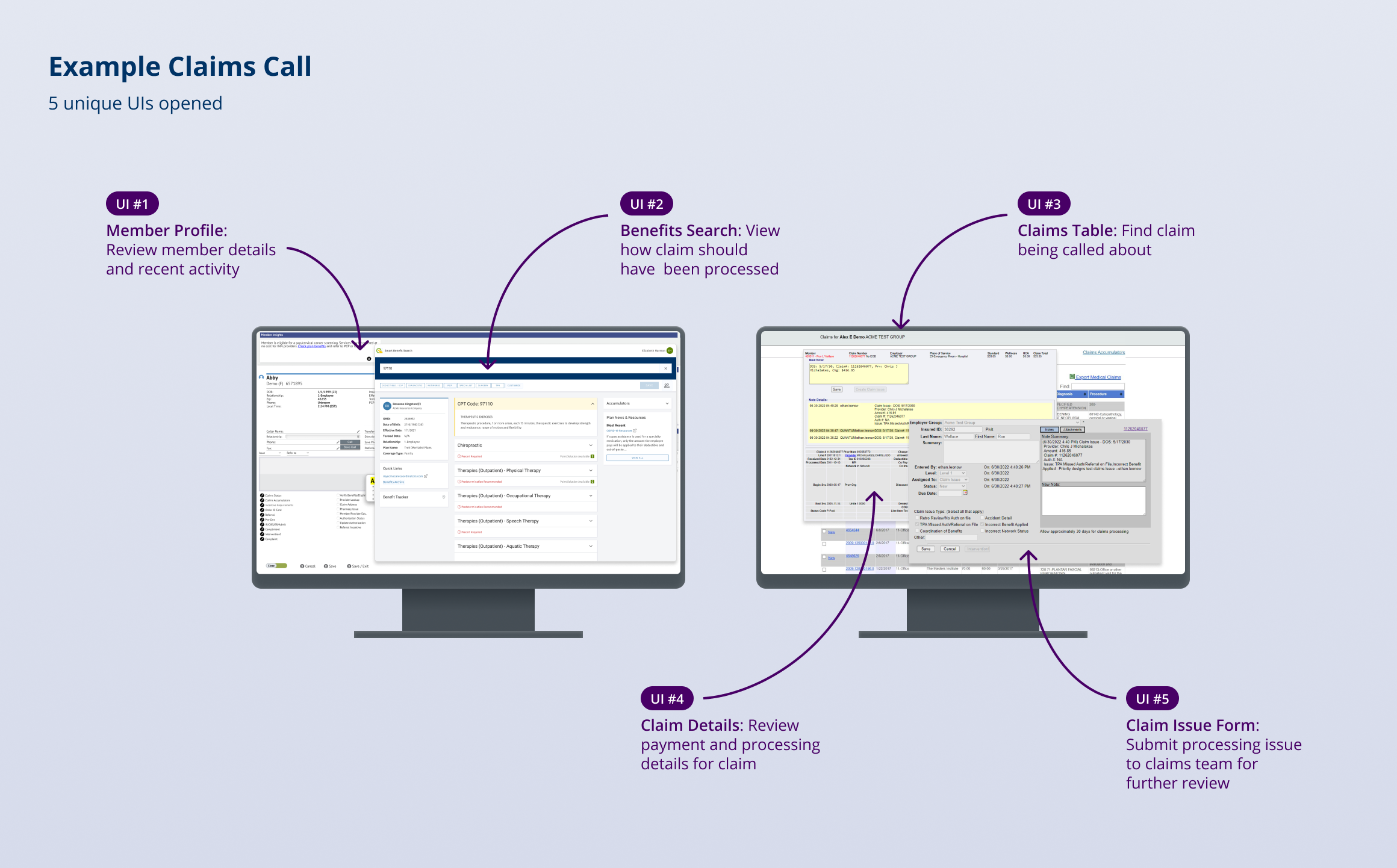
As the member base expanded and call volume increased, the toolset became a bottleneck. Navigating several systems—often while actively on the phone—was cumbersome. Many tasks were repetitive and manual, and workflows frequently required switching contexts or re-entering the same information. The organization knew they needed to build the next generation of their software suite, and they needed a design partner to ensure that investment translated into a measurably better experience for the teams doing the work.
Immersing in Users' Work
This engagement wasn’t simply a visual refresh. The goal was to translate support representatives’ real-world needs into a tool that was more usable, more accurate, and more efficient under the pressure of live calls.
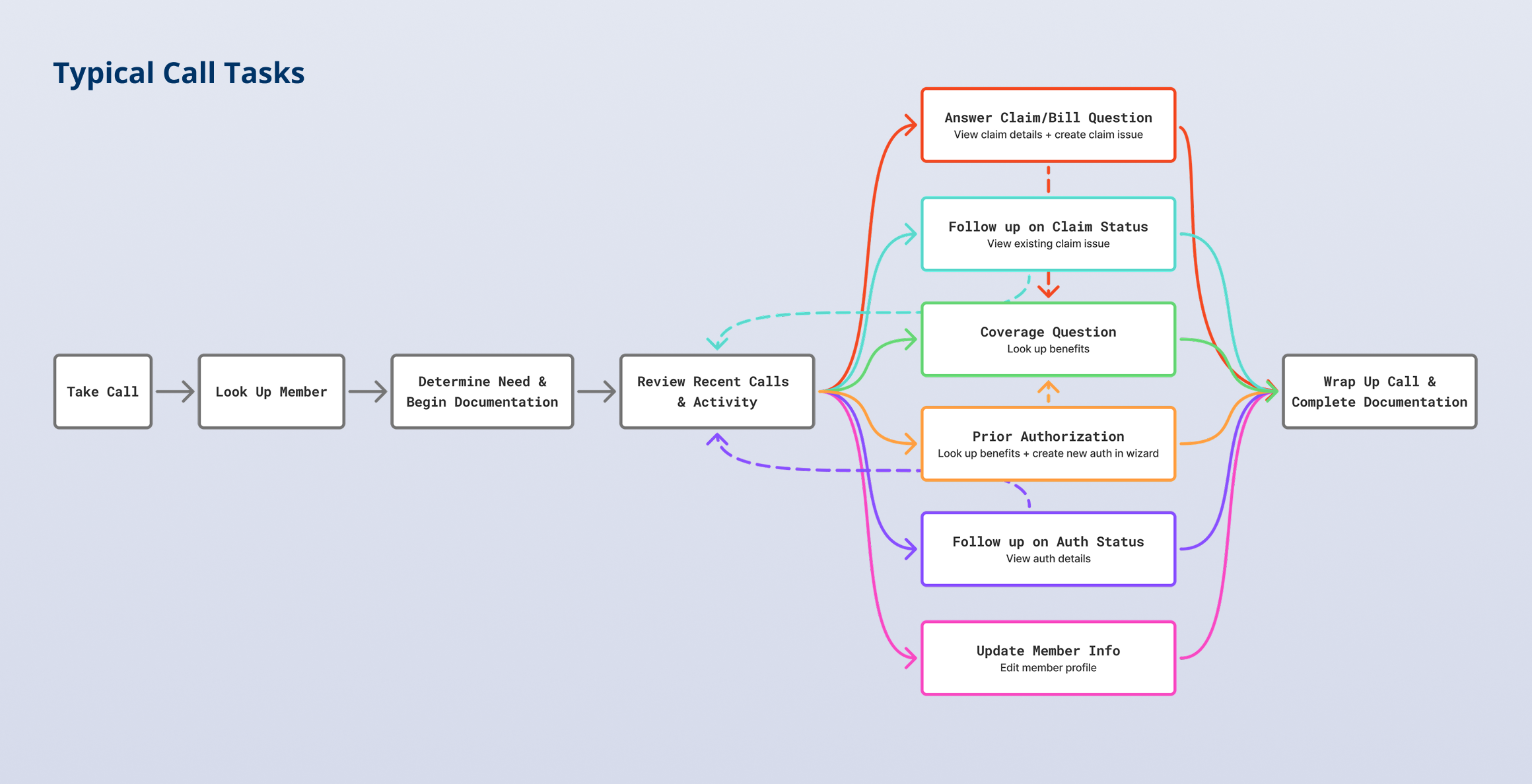
PD began by developing a rigorous understanding of representatives’ roles, common tasks, mental models, and pain points using chair-side interviews and in-context observation. The team documented what users were trying to accomplish, what information they needed at each step, and where breakdowns occurred (switching between tools, fragmented data, and redundant documentation).
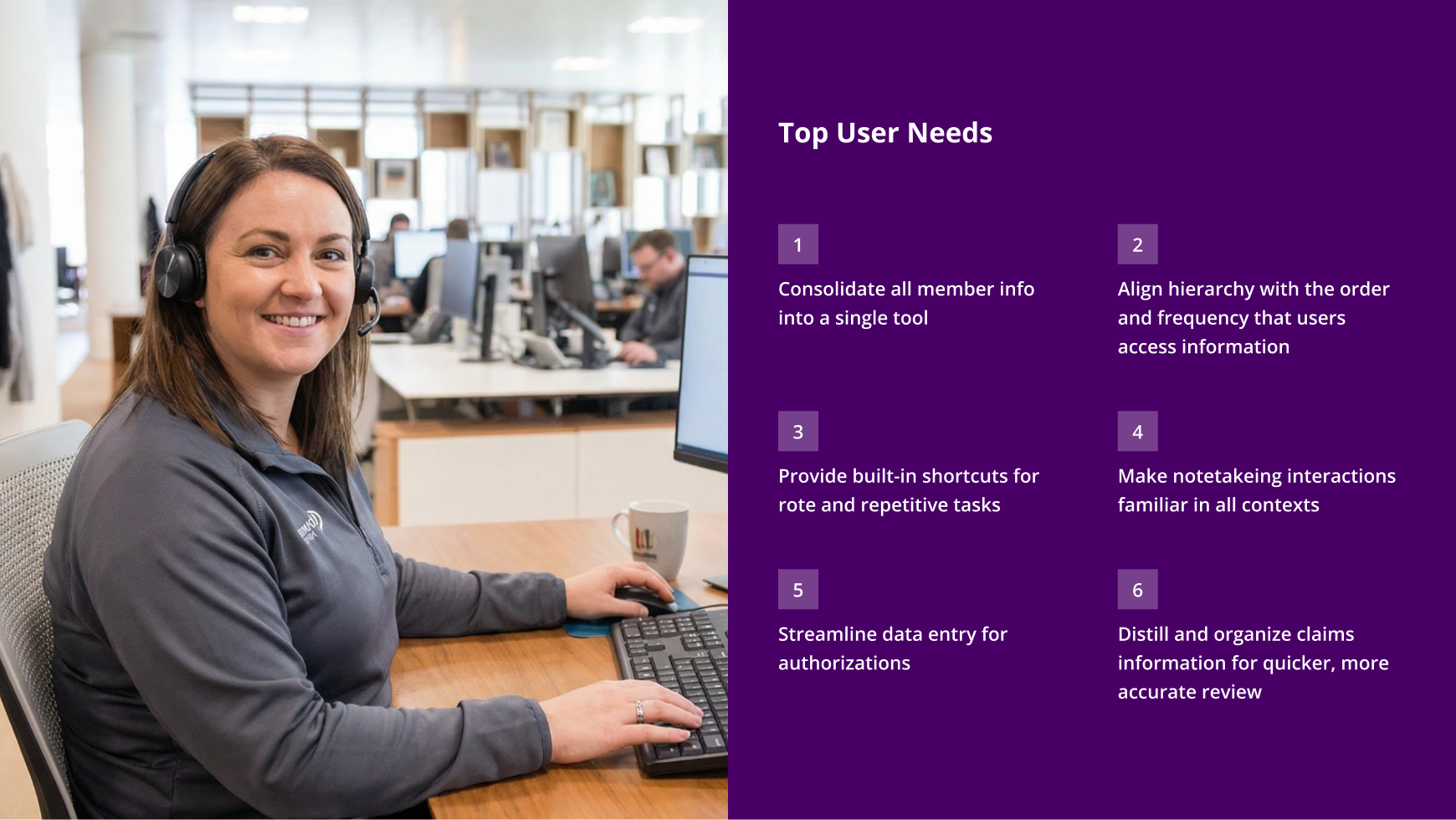
A key insight from research was the extent of fragmentation: representatives thought about a member as a single entity, but the systems presented member information as separate islands—benefits in one place, claims in another, notes somewhere else, and task work distributed across tools. PD recommended addressing this foundational issue first, since many downstream pain points and inefficiencies stemmed from disjointed data and workflows.
Designing One Comprehensive System
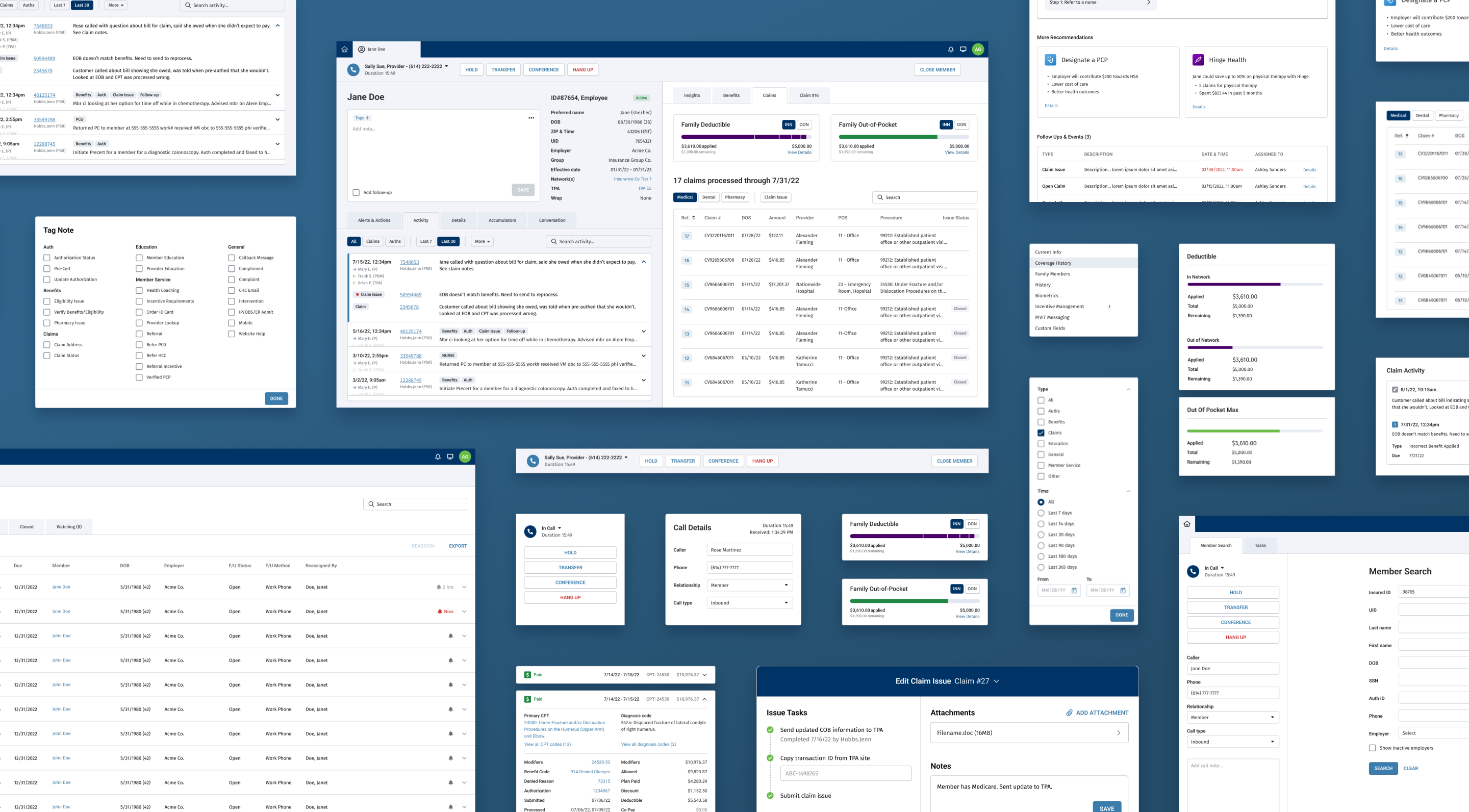
Consolidating member-related information into one experience required defining the underlying structure for content and interactions—not simply placing everything on one screen.
PD created interactive prototypes to explore multiple approaches to hierarchy and navigation. Across several cycles of prototype iteration and evaluative testing with support representatives, a foundational architecture emerged that reflected how users actually worked:
- Information was grouped based on how frequently it was accessed and in what sequence during a call.
- The most frequently referenced member information remained persistently available.
- Adjacent areas (including benefits and claims) were accessible without forcing users into a disruptive context switch.
- Users could “pop out” sections into a secondary window to complete focused tasks without losing their place.
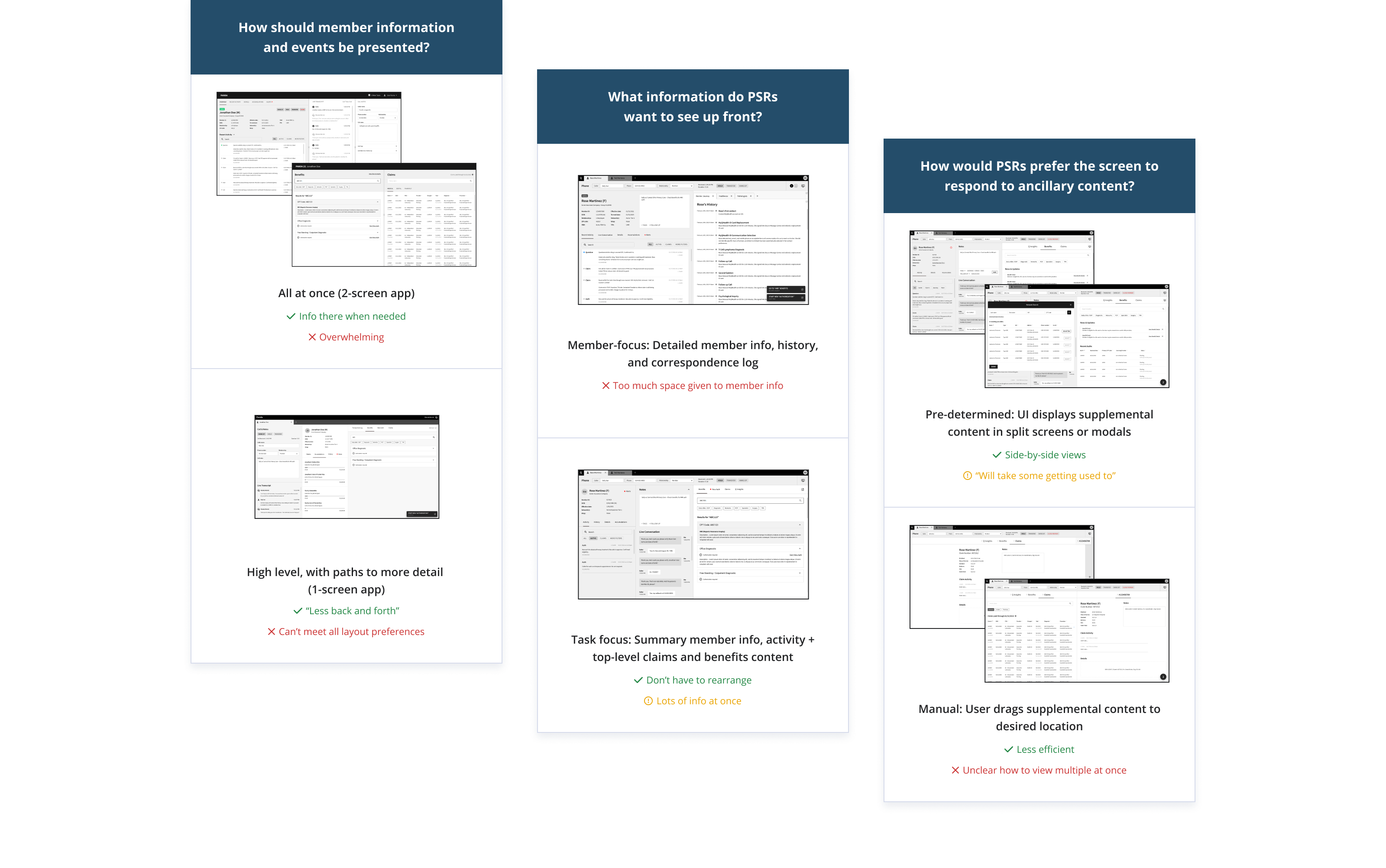
To validate that the design supported real work, PD designed and tested end-to-end prototypes for priority workflows—evaluating time-on-task drivers, clarity of information location, and users’ ability to adapt to the new structure with minimal re-learning. The result was a functional direction that tested successfully and was ready to move into refinement.
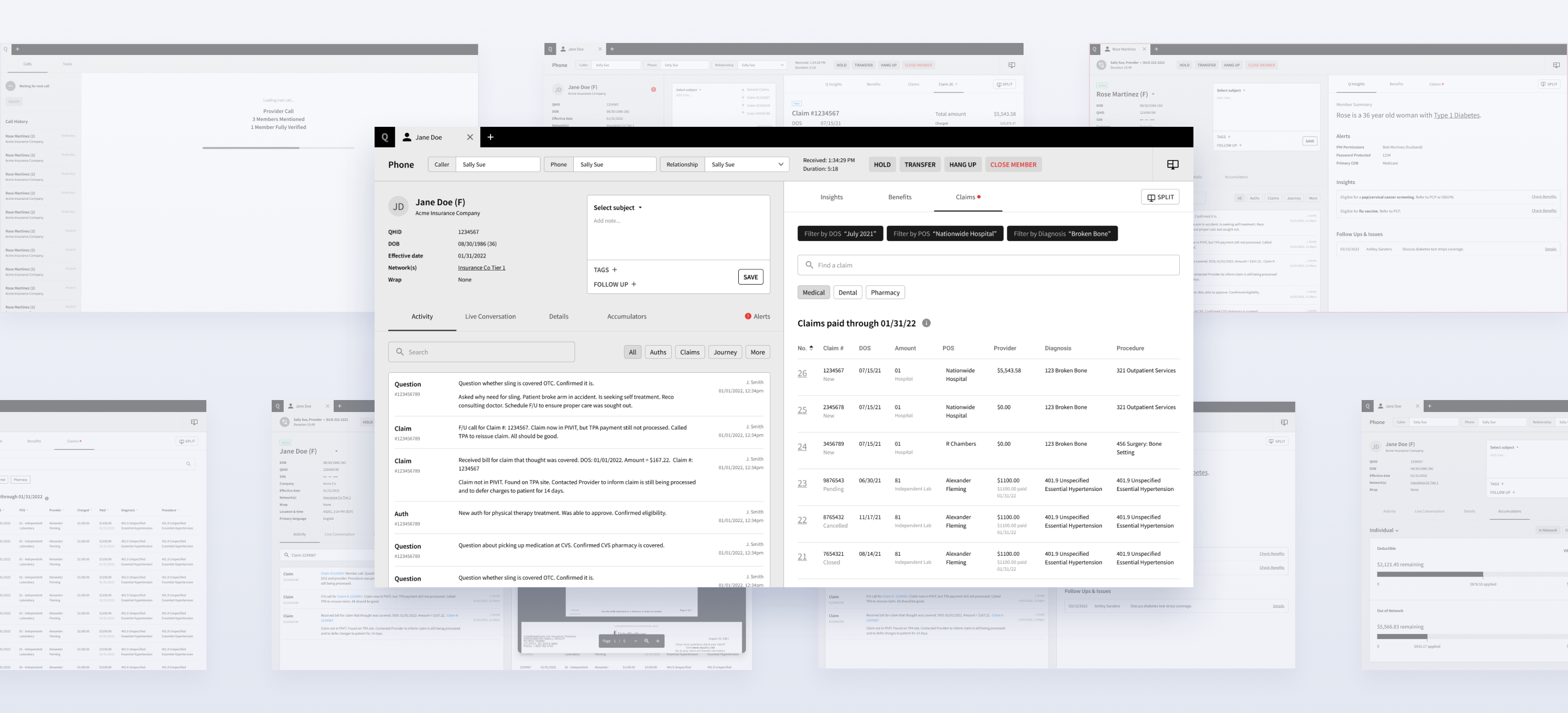
Crafting a Transition to New Software
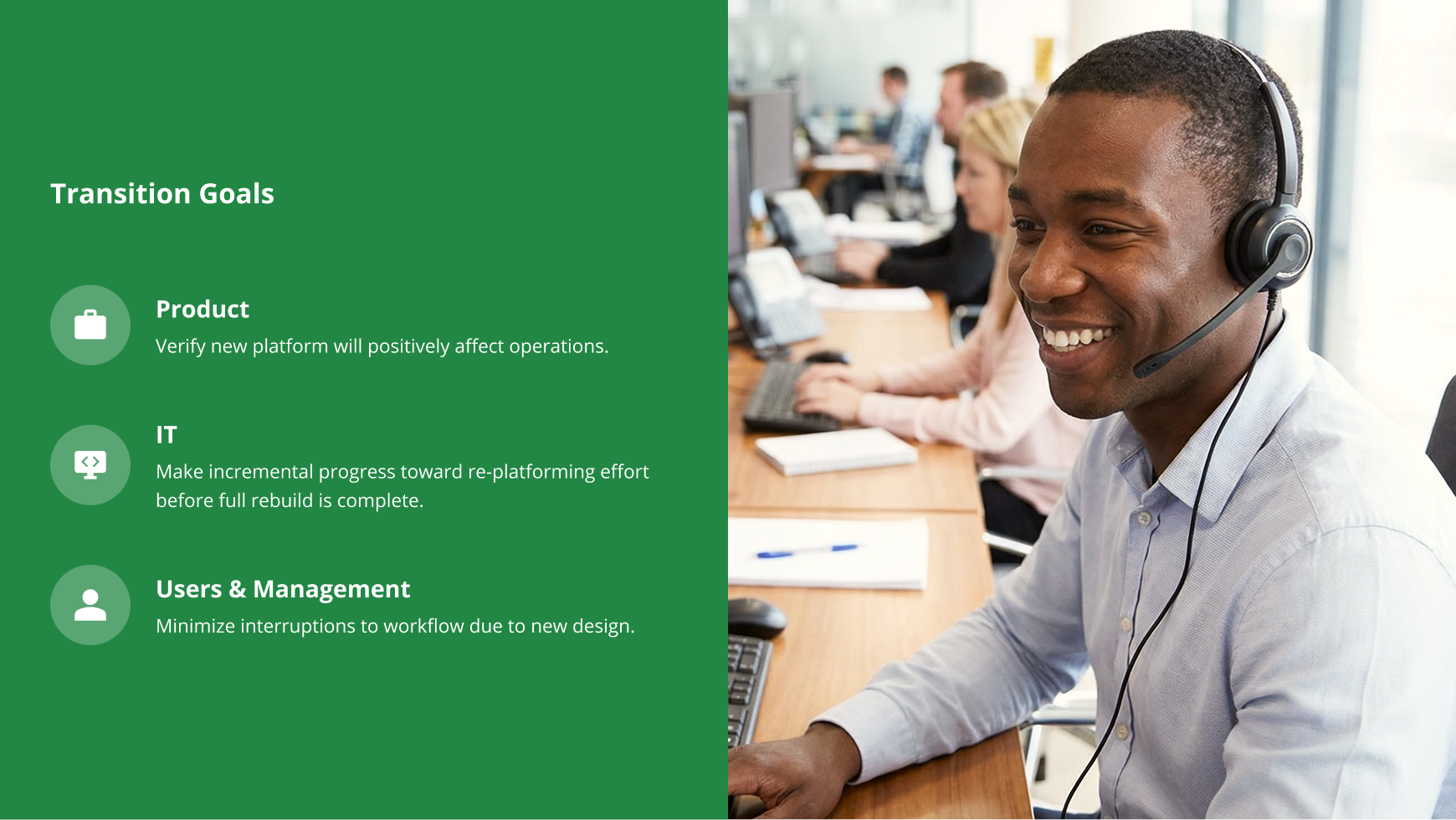
Replacing a familiar multi-tool workflow with a consolidated system requires more than “new screens.” It requires a transition strategy that supports adoption and minimizes implementation risk.
To help users onboard smoothly—and to help the delivery team build efficiently—PD crafted a plan for incrementally transforming the current layout and UI mechanics. This allowed changes to be introduced in a way that felt recognizable while still moving toward a modernized platform.
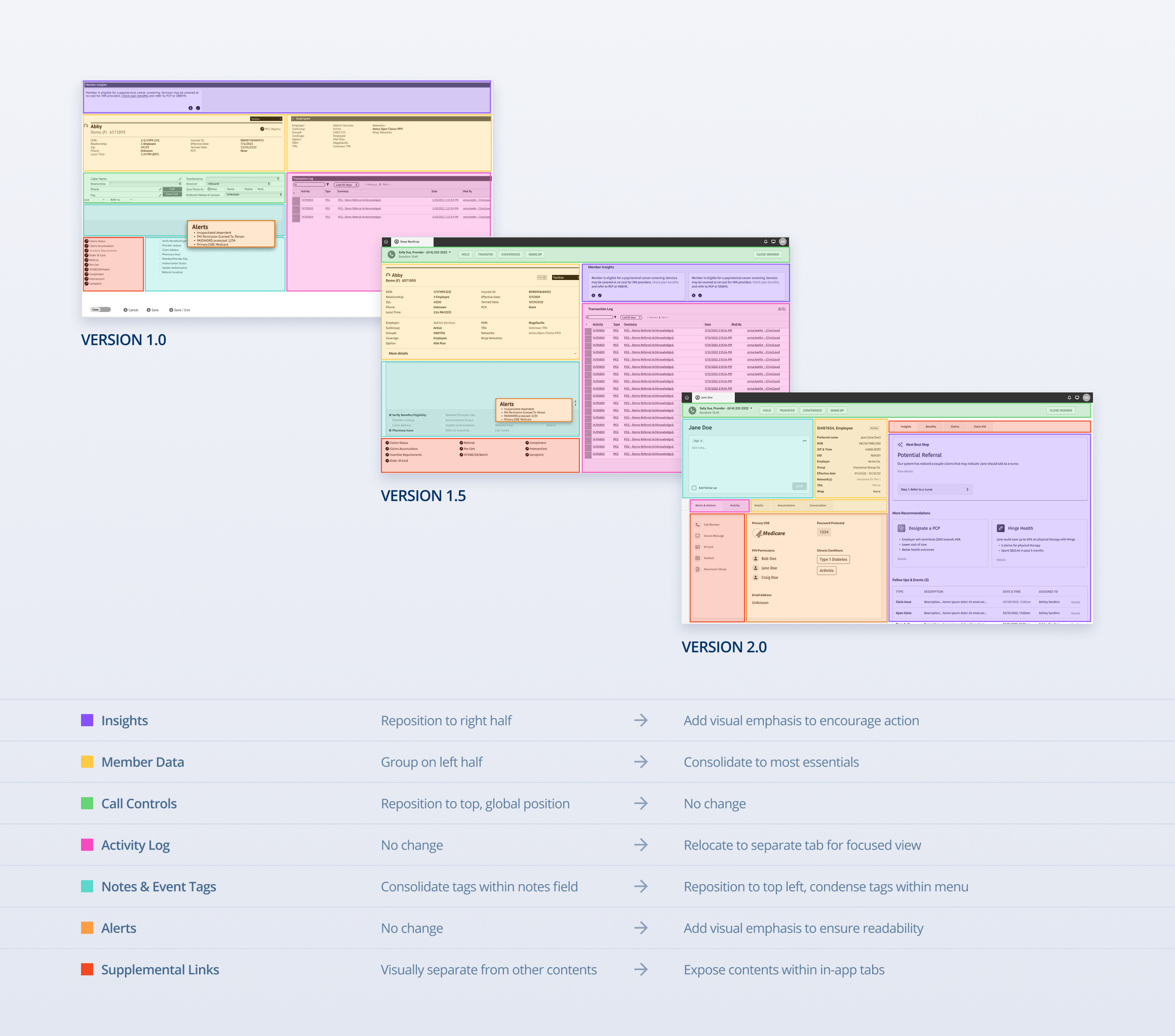
User testing surfaced an important adoption insight: the visual and interaction design of the UI had a direct impact on how easily users could orient themselves and build confidence in the new system. With this in mind, PD aligned the new experience to the organization’s most recent tool patterns and evolved those components into a first-generation enterprise design system.
This design system served two purposes:
- Usability and consistency: familiar patterns reduced cognitive load and increased learnability.
- Build speed: reusable components improved implementation efficiency and reduced rework.
Empowering Better Work Through Design
While the new support-representative experience consolidated content previously spread across multiple tools, it was designed as part of a broader ecosystem used by different roles across operations.
PD’s enterprise design system and the representative workspace established a foundation for future improvements across additional tools—enabling the organization to gradually move toward a cohesive family of products. In one adjacent initiative, redesign work enabled the organization to replace a third-party tool with an internal solution, reducing ongoing costs and improving alignment with internal workflows.
Areas of improvement targeted in the redesigned experience included:
- Data presentation: organizing and accessing member, claim, and benefits information
- Documentation: logging call notes and activity used across workflows
- Claims: viewing claim details and handling claims-related issues
- Task assignment: assigning and managing tasks between teams
- Data quality: managing database updates received from third-party sources
- Authorizations: processing prior authorization cases, including documentation and clinical review
- Automation: supporting task automation and surfacing machine-learning-generated member insights