
A Disruptive Clinical Platform
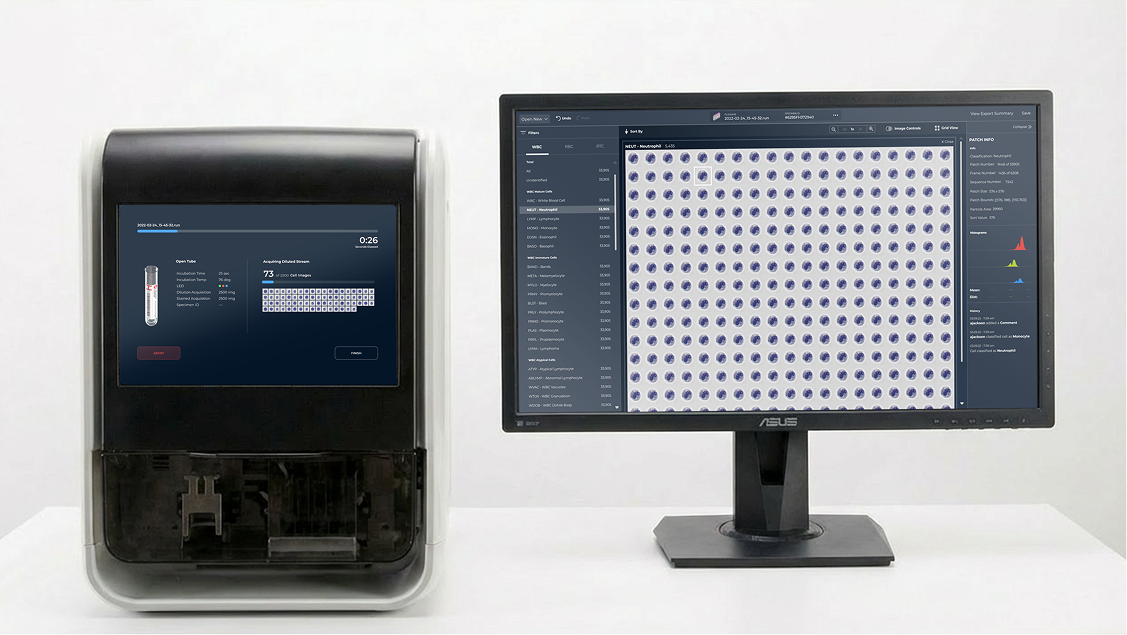
A major developer of diagnostic lab equipment, DLS (pseudonym used for confidentiality purposes), set out to release a research-use-only hematology analyzer (RUO) built around a novel approach to viewing blood cells. While digital hematology analysis was already the industry norm, the product experience surrounding their new technology was unprecedented mainly because it facilitated image generation and viewing directly in a single onboard screen.
Priority Designs partnered with DLS to translate their raw capability set into a modern, embedded interface built for lab techs and researchers to effortlessly run samples and interpret results. In just seven months, our UX/UI team led the embedded experience from early workflow definition through final on-device implementation, working closely with PD’s software engineering and industrial design teams along the way.
We designed the complete product experience, integrating the physical product and embedded user interface, for a seamless and intuitive workflow for the end user.
CLIENT
Diagnostic Lab Supplier (DLS)
INDUSTRY
Healthcare
SERVICES
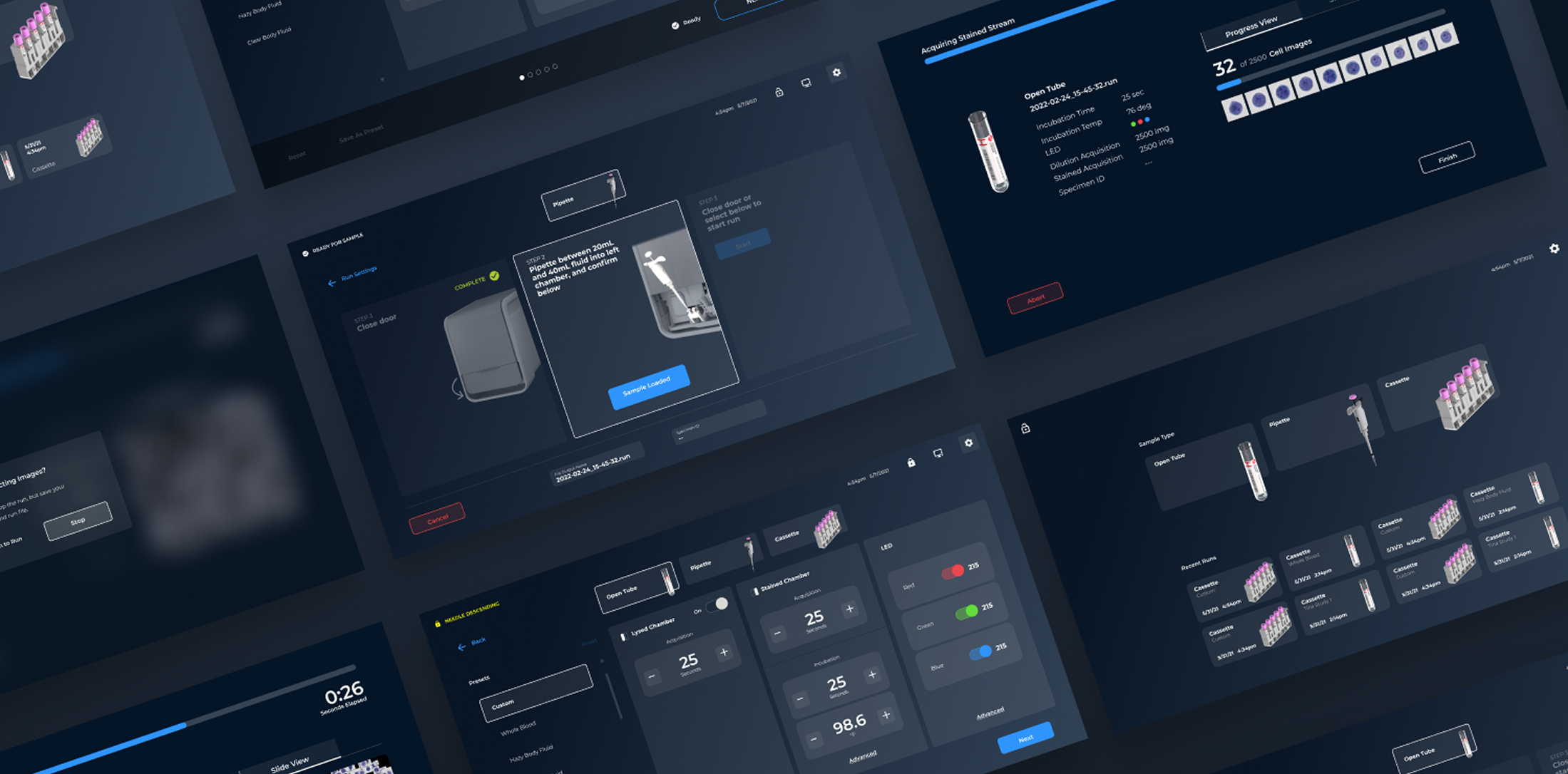
Defining Workflows for Actual Lab Environments
Before our work with DLS, the RUO analyzer didn’t have a graphical user interface. The client’s innovation team used a patchwork utility screen to run commands for internal testing, but a UI that would guide lab users in incorporating this technology in their daily work needed to be planned and designed essentially from scratch.
We built on our prior research of hematology lab workflows, competitive device audits, and the functional requirements of the RUO to align the RUO’s capabilities with clinical users’ objectives.

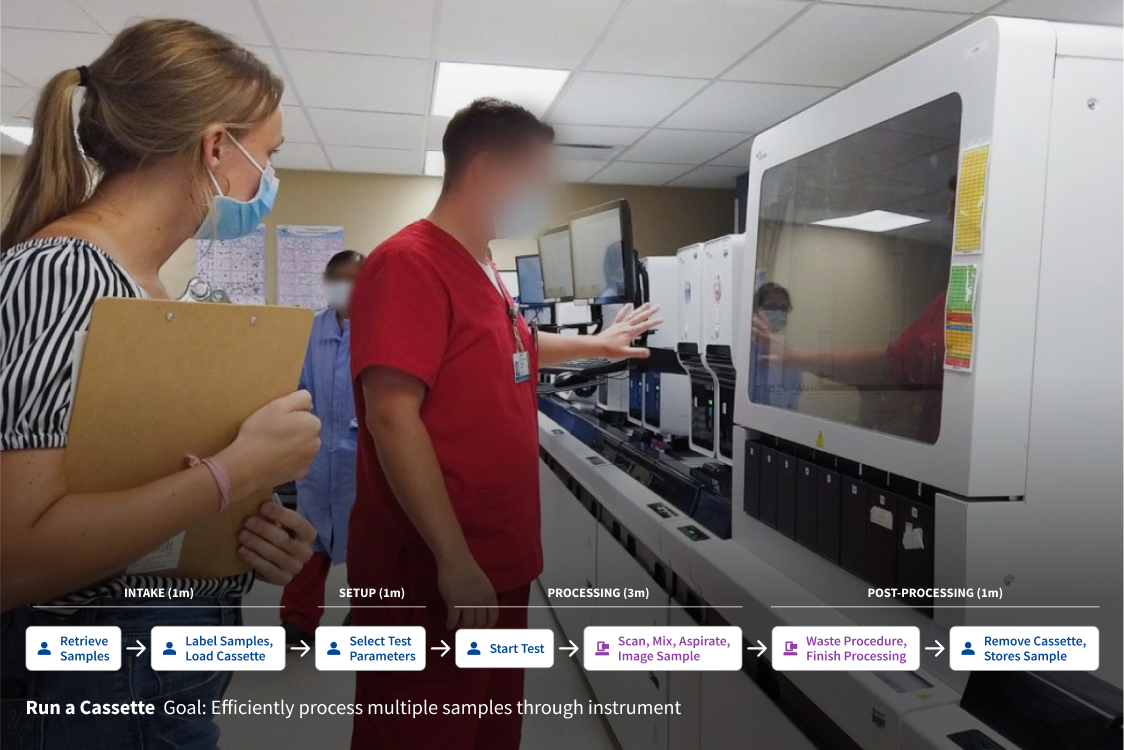
Mapping Simplified Workflows
We identified three primary workflows the onboard UI needed to support:
- Preparing the instrument to run
- Running a test using either a cassette, single tube, or pipette
- Reviewing the results of a sample
Workflows were mapped out to anticipate the relationship between user and instrument behavior, and to provide an efficient means of assessing and simplifying tasks.
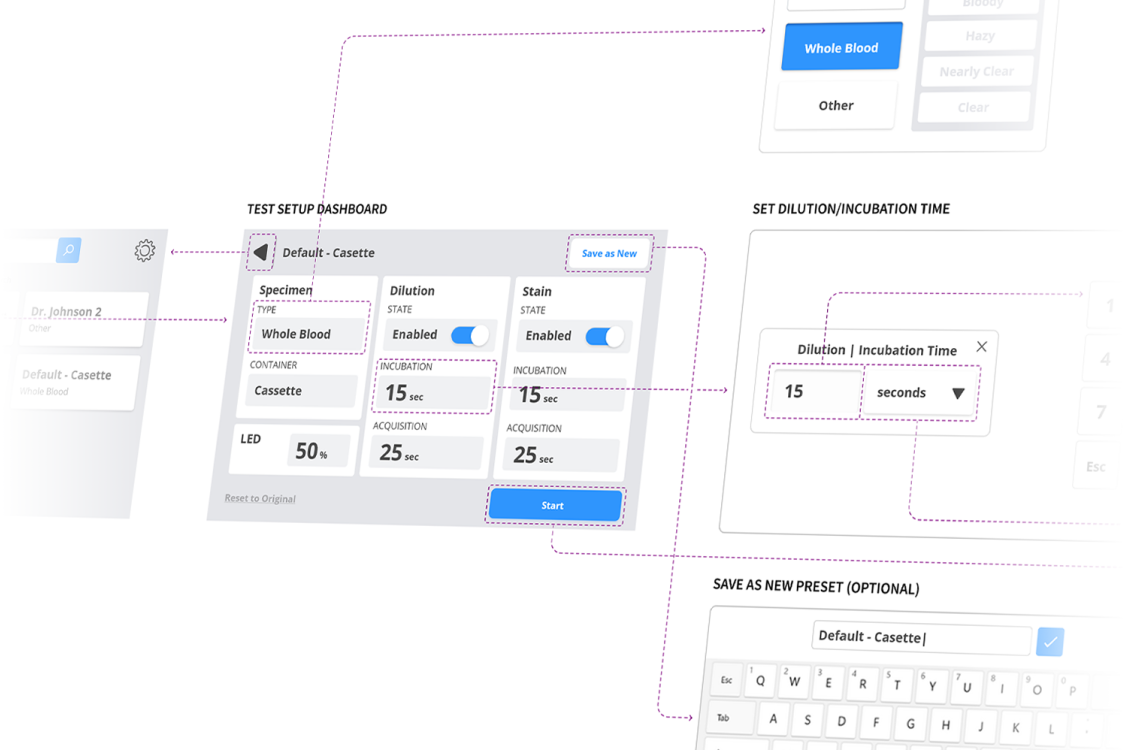

Prototyping for Confidence in Task Completion
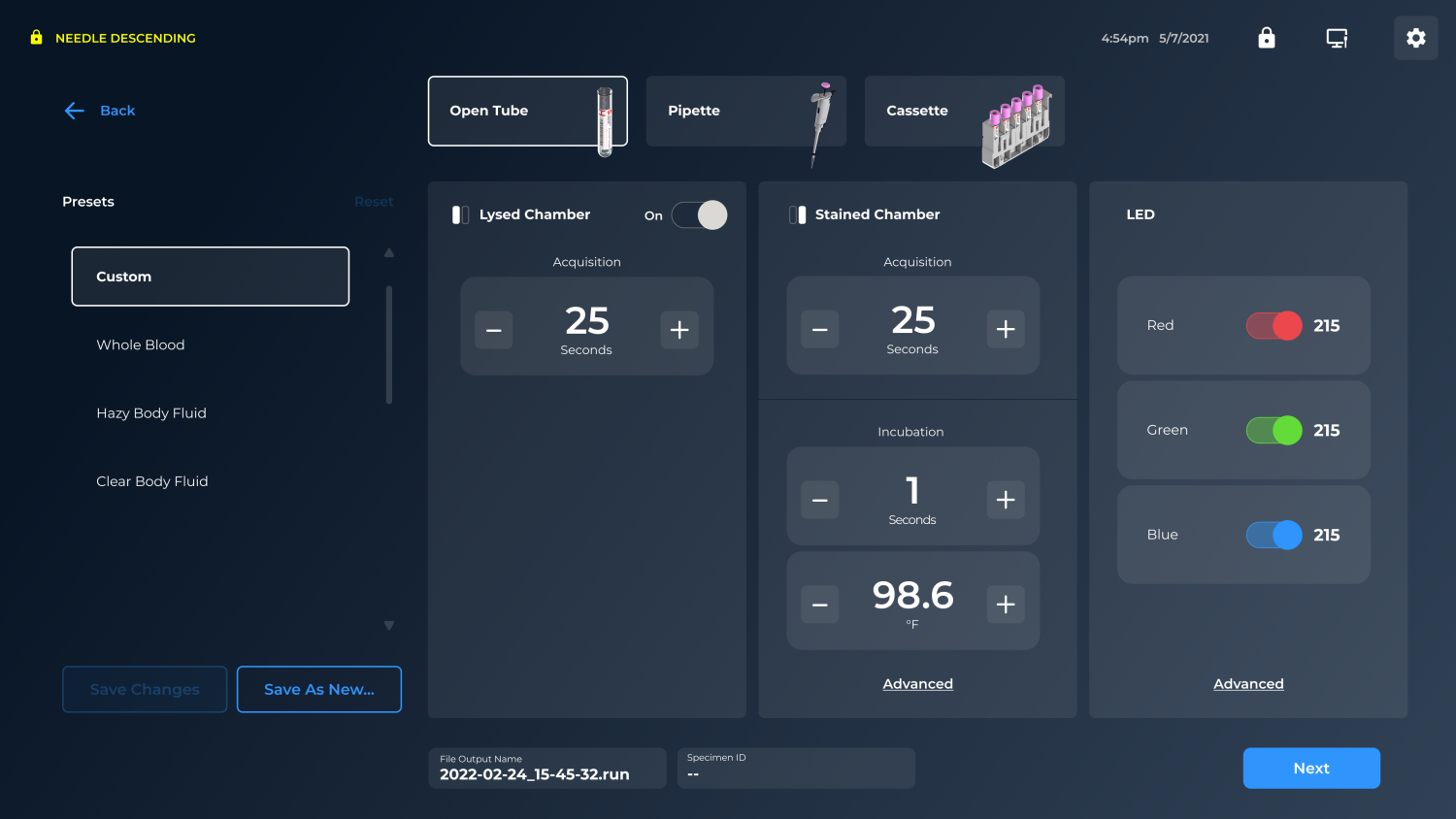
Understanding flows holistically was foundational to our team determining the UX of “how” the system should work. As the most in-depth set of tasks, our prototyping effort hinged on refining the test setup experience to:
- Clarify intuitive step progression
- Indicate status and progress
- Provide a “calm” surface that doesn’t demand upfront expertise
The shift wasn’t just minimizing screen count. It was establishing a new mental model while reducing cognitive load.

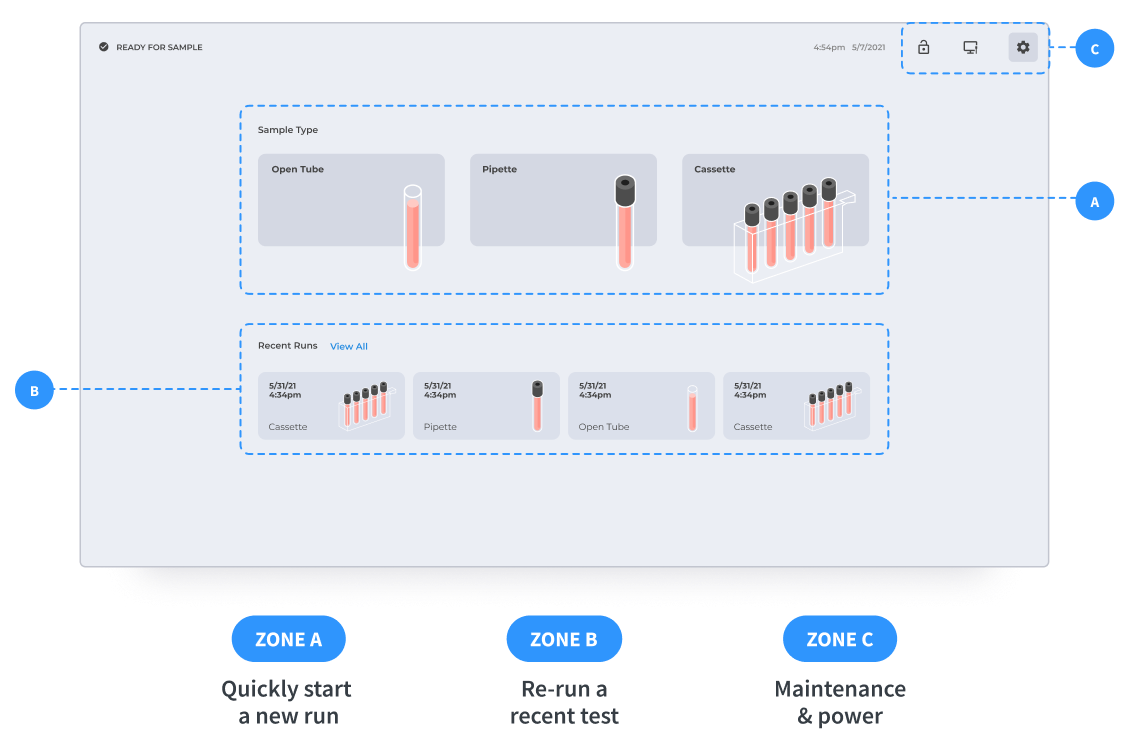
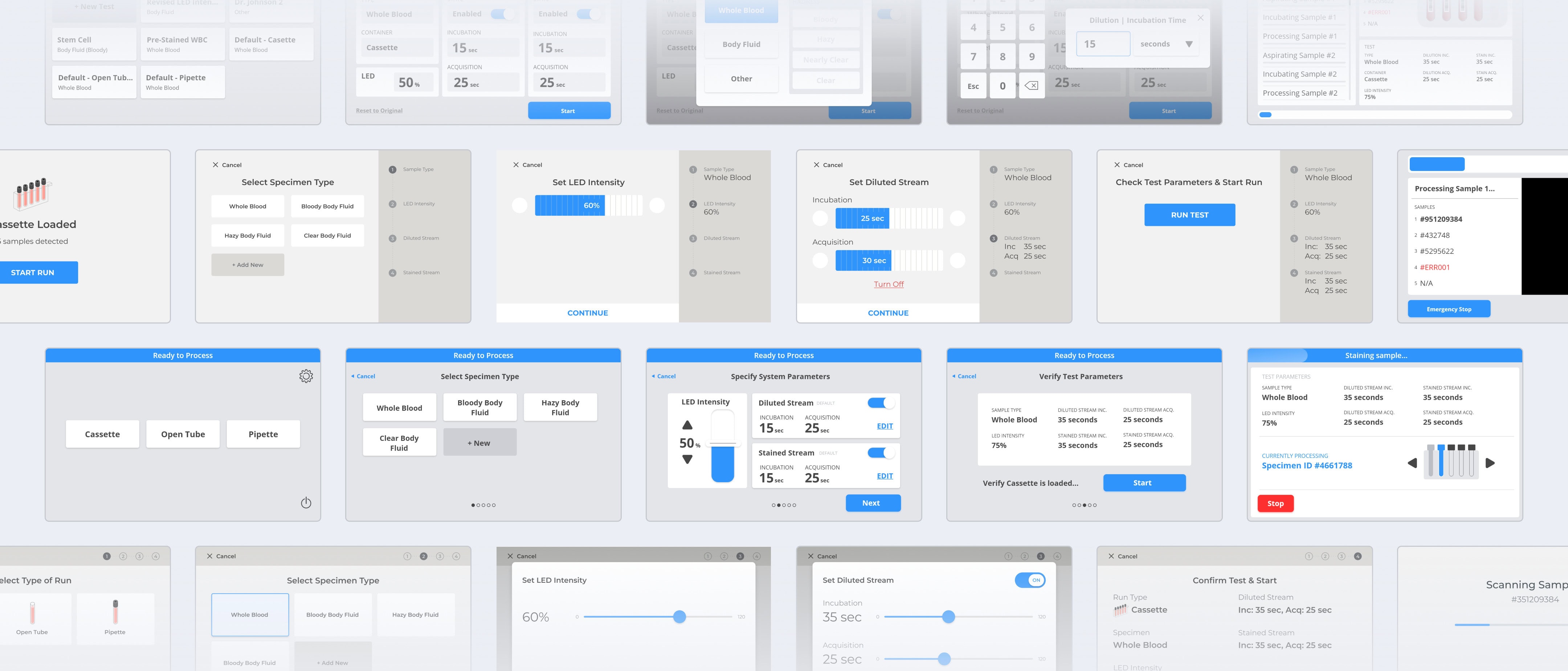
User-informed Hierarchy
A clearly-structured task flow wasn’t enough to meet users’ needs as the RUO had to integrate into their daily lab work. The UI needed to guide ongoing usage through a clear hierarchy.
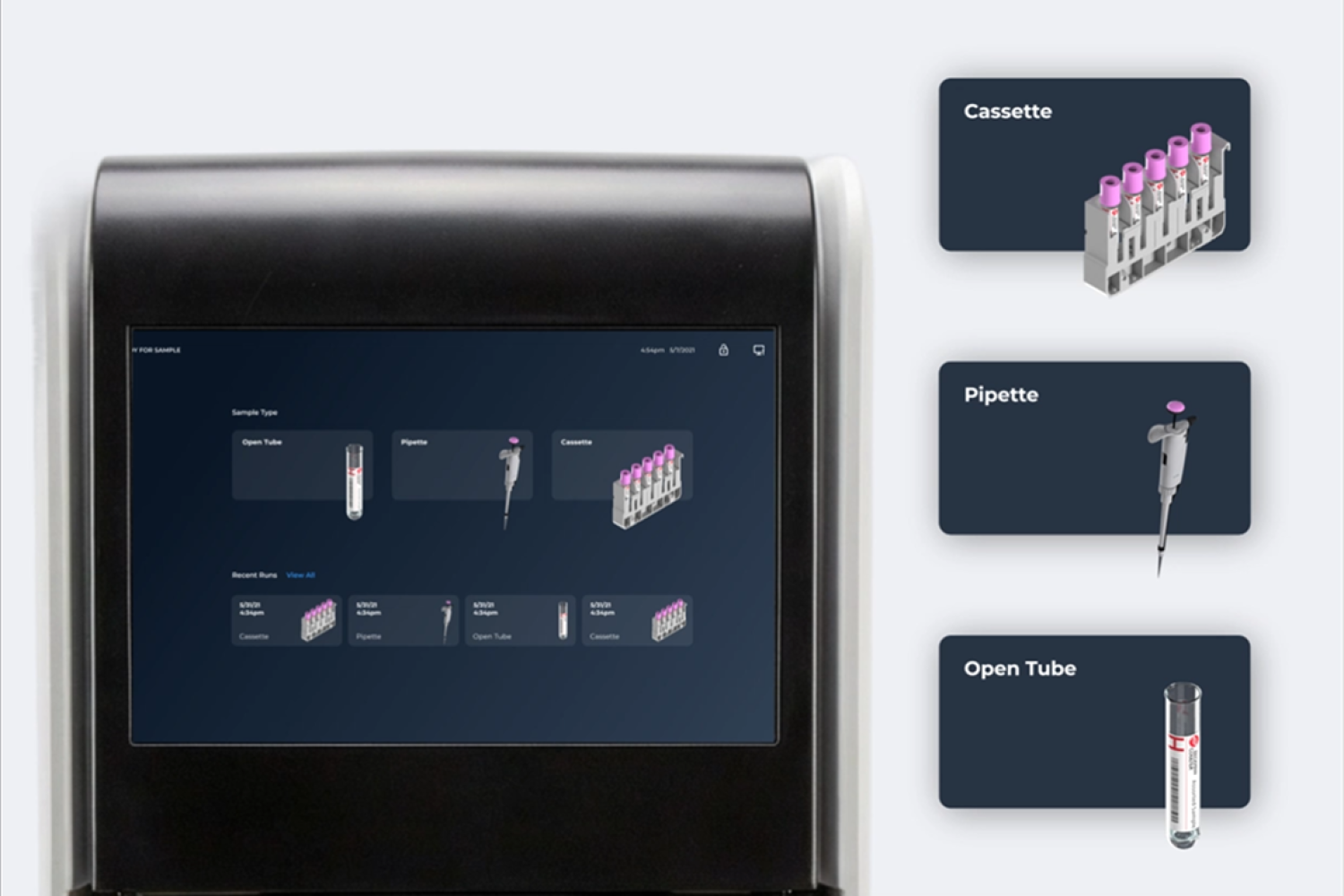
To do this, we elevated the primary job, running a sample, with a quick path to the three run modes and saved test parameters. Secondary functions were intentionally tucked away to reduce clutter and help users focus on the task in front of them.

Optimizing Design for an Embedded Application
The RUO’s interface and screen design didn’t exist in a vacuum but was to be integrated with a physical analyzer in a lab setting. Our team needed to consider additional factors including:
- Operation with gloved hands
- Effects of environmental lighting
- Visual transition between the screen and the rest of the analyzer form
- How the physical and digital touchpoints would integrate
- Compliance with ANSI/AAMI HE75 UI standards, namely readability from an 18″ viewing distance and appropriate touch targets
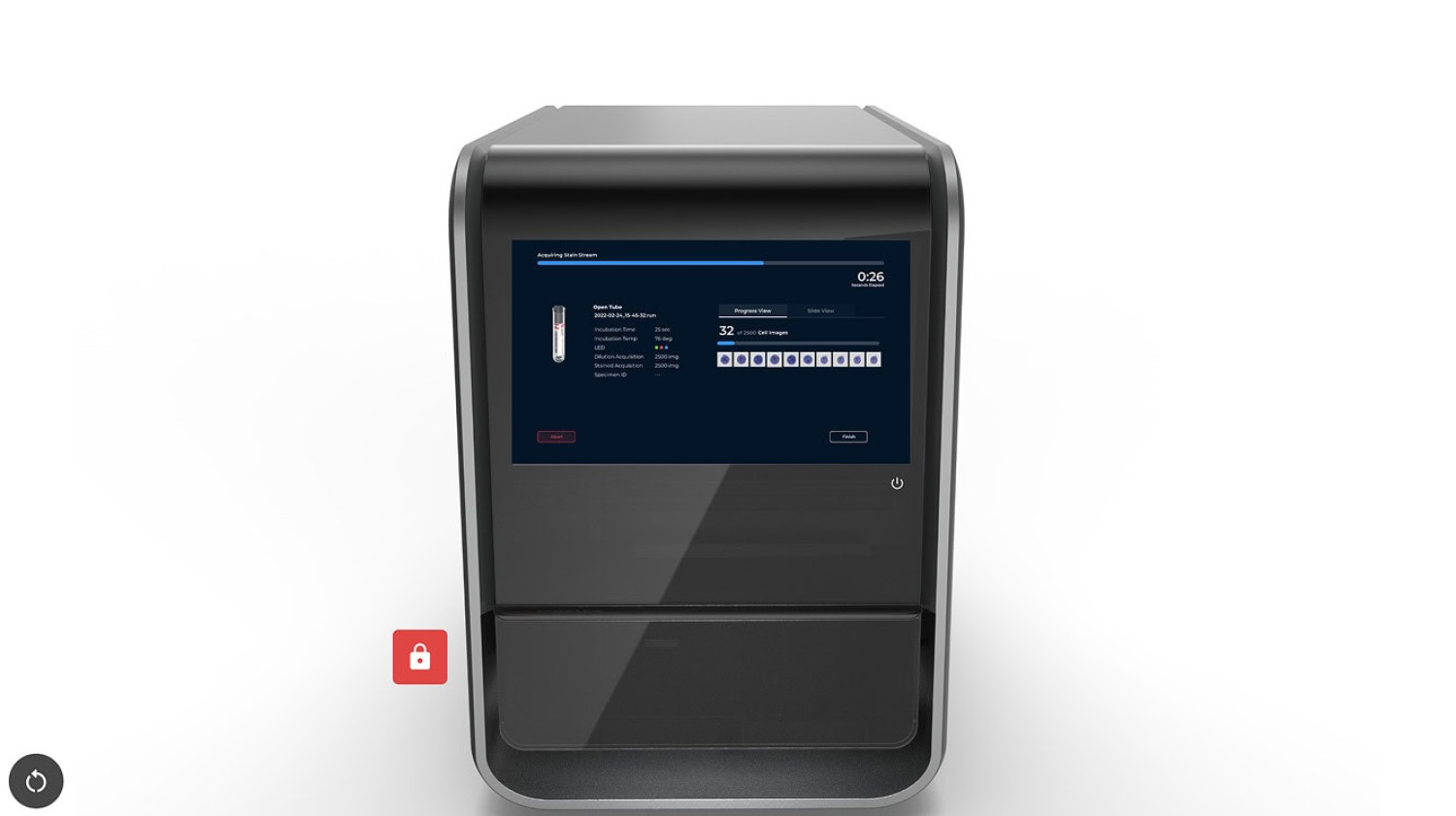
Throughout development, we evaluated the design in two complementary ways:
- At-scale simulation: Placing UI into device renderings and early physical models to validate posture, hierarchy, and the relationship between physical and digital steps
- Early on-device implementation: Getting software onto the real display quickly to validate what pixels actually looked like on the hardware and to test UI-enabled physical actions like open drawer, insert tube, close drawer
This tight feedback loop ensured the interaction model and the physical product worked as one cohesive system. It also enabled us to fine tune the UI design to give the impression of a stable, intentional, and premium analyzer experience.
Creating a Next Gen Digital Product Language
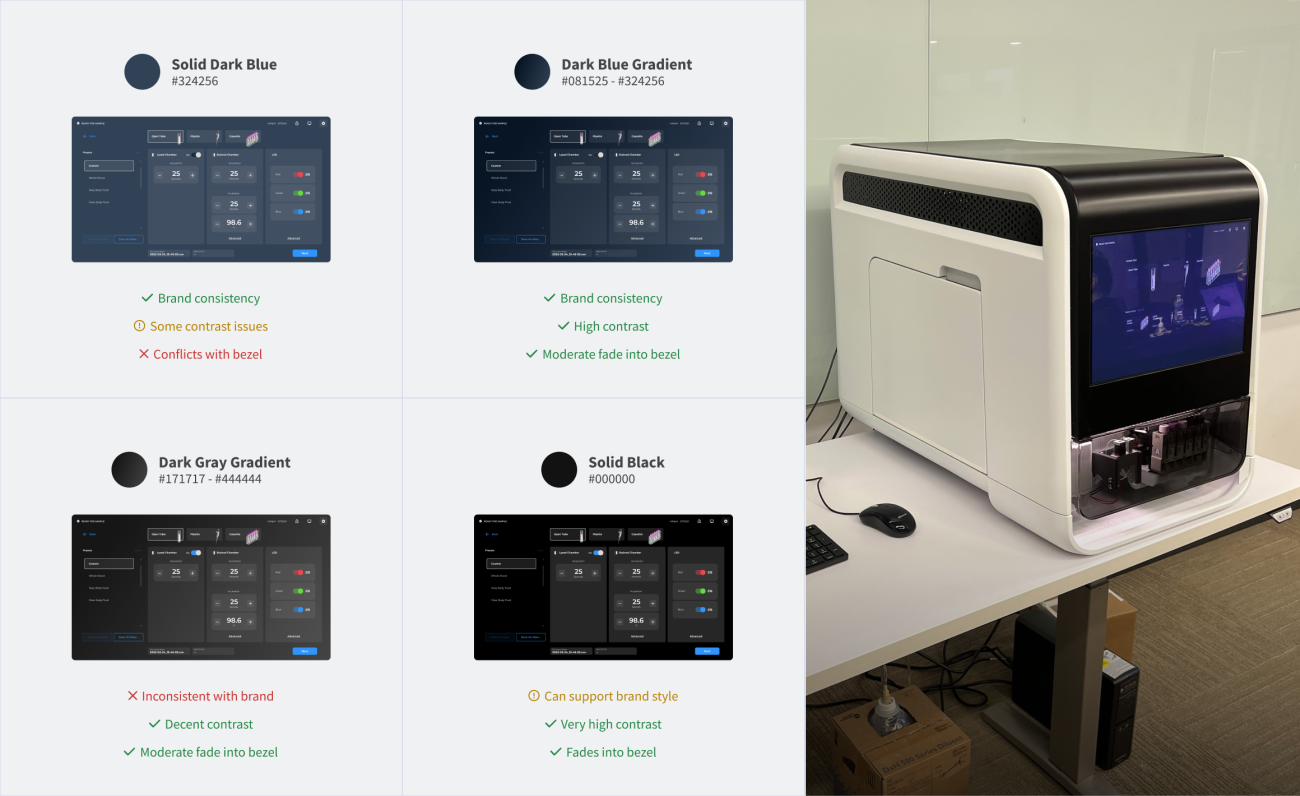
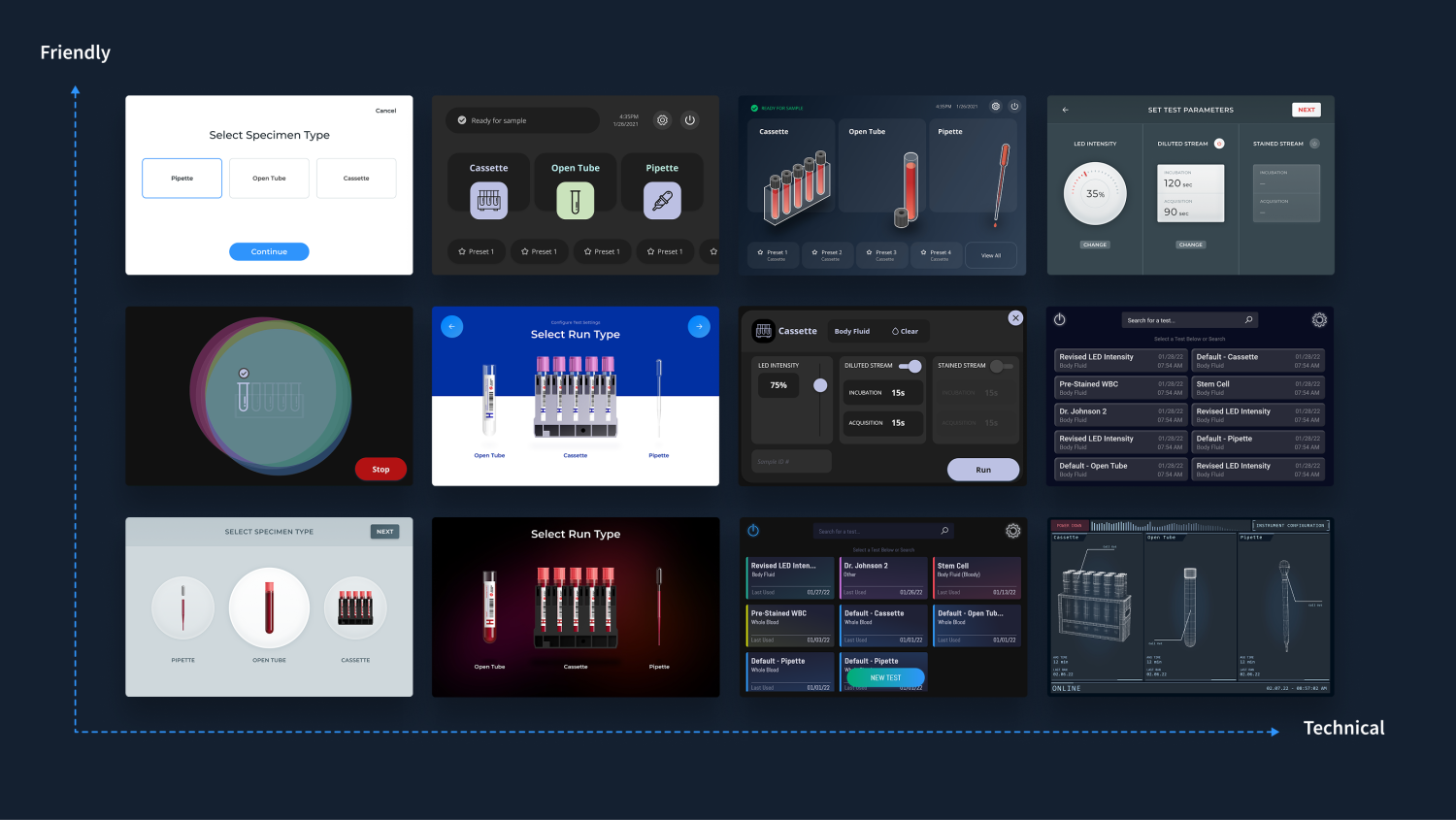
With the advent of the new RUO technology came the need to establish a new digital product language that would reinforce RUO interactions and scale with our client’s future innovation. We explored various distinct visual directions intentionally spanning a wide range.
Evaluation centered on:
- Product perception: The UI needed to feel premium and credible for an instrument debuting new technology
- Clarity under real lab conditions: The UI needed to be readable, calm, and usable in bright overhead lighting
- Brand and product alignment: The UI needed to be distinctly appropriate with their brand and harmonize with the physical product language our industrial design team had set in place

A Homescreen That's Both Technical & Inviting
Two experience moments became anchors for the final UI design. The first was the home screen dashboard, which uses graphic interpretations of lab tools like blood vials and cassettes to create clarity and personality without becoming decorative. It signals to some of the technical aspects of running samples while staying approachable.

A Cycle Running Screen Rich in Feedback
The second anchor point was the page designed to provide feedback as a sample was being run. This experience presented the opportunity to design what would otherwise be a utilitarian countdown in a way that visualized what the analyzer was doing. The result was a strengthened link between the physical and digital parts of the system and quicker familiarity between users and the imaging process.

Designing for Desktop
In addition to the onboard screen, the RUO would have a companion desktop application that would allow techs to dive in to the results and have more real estate to analyze images and data. The existing application that was being used was cobbled together, adding utilities as they were needed.
Our team was able to take a step back and incorporate findings from earlier research to define how this application should be structured to best support users.
The Result
Our work on the RUO resulted in an integrated product experience for a brand new platform. It translated a set of features into an understandable UI that worked seamlessly with its physical counterpart. It also gave a modern, technically appropriate, and trustworthy face to a novel capability, setting the tone for what would come next—the clinical device that would build on this technology.
The Release
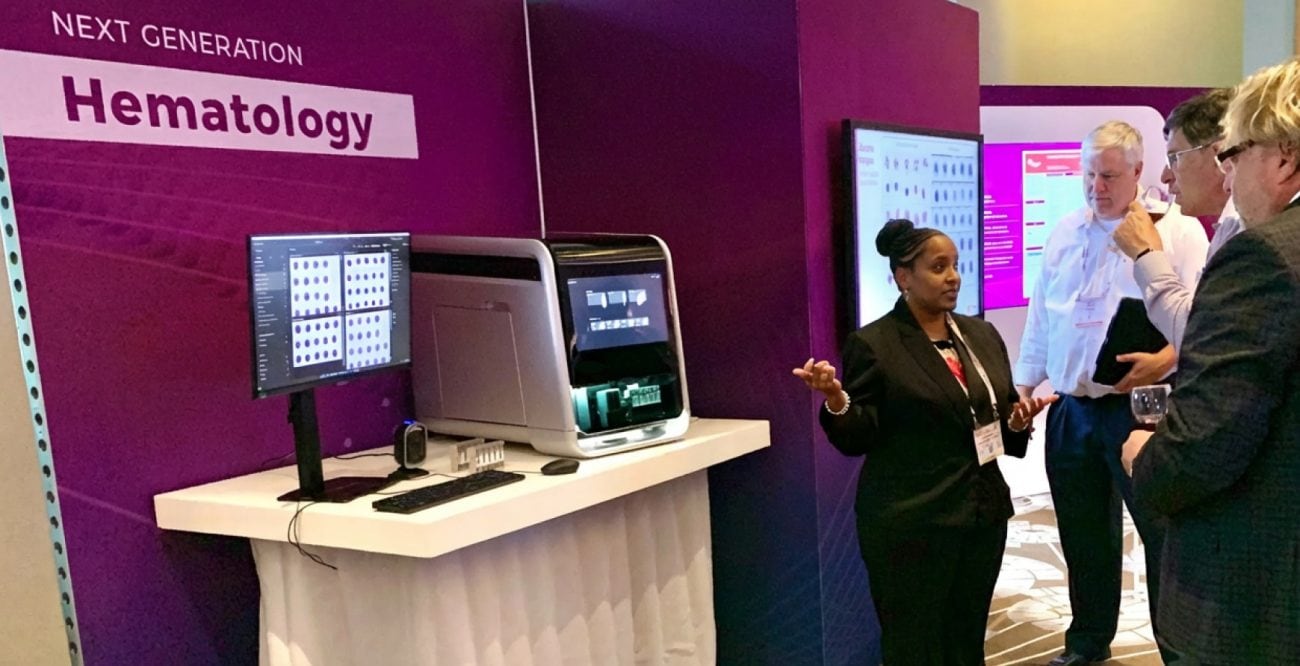
Just 7 months from project kick-off, a revised, functional RUO prototype was revealed at an invitation-only event at the leading international conference for lab diagnostics, AACC.
For the physical device design and engineering story, see the companion case study.